

Published September 15, 2026
How to Write a Professional AI Prompt: Complete Prompt Engineering Guide
A practical comprehensive guide to writing effective AI prompts. Learn how to structure clear instructions, use zero-shot, one-shot and few-shot prompting, break down complex tasks with prompt chaining, and apply professional prompt templates to real-world tasks.
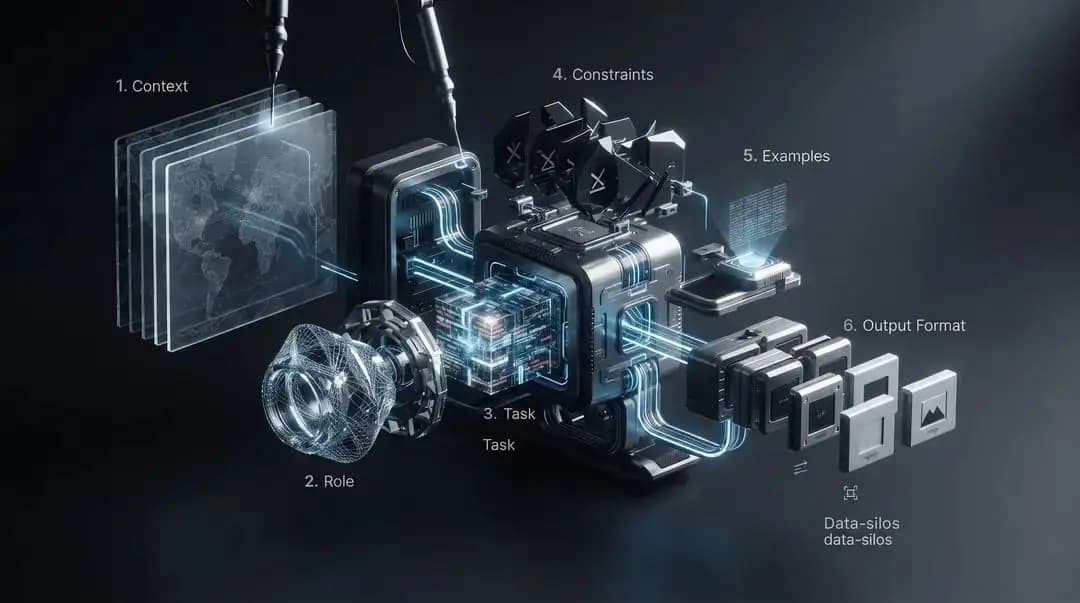
A professional AI prompt does not mean writing the longest instructions possible. The real goal is to give an AI model the information, instructions, and constraints it needs to produce the result you want with as little ambiguity as possible.
What Is a Prompt in Artificial Intelligence?
A prompt is the instruction or input you give an AI system to tell it what you want it to do. It can be as simple as: "Explain artificial intelligence," or more specific: "Explain artificial intelligence to a beginner who has no technical background. Use simple language, divide the explanation into five short sections, and include one practical example for each major concept."
Both prompts are valid, but the second defines the desired result more clearly. A professional prompt is therefore not necessarily long; its purpose is to reduce ambiguity and provide the information needed to produce the result you actually need.
Why Does AI Produce Different Results From the Same Request?
When a request is vague, the model has to make assumptions about details you did not specify, such as the audience, length, tone, content, and output format. A request such as "Write about artificial intelligence" leaves many questions unanswered.
One of the central ideas in prompt engineering is to reduce this ambiguity by providing the right context, instructions, and constraints.
How Should You Think About a Prompt Before Writing It?
Before writing the prompt, define the result you want. Ask yourself: What exactly should the AI accomplish? What information does it need? Who will read or use the result? What should the final answer look like? What should be avoided? And how will I know the result is good enough?
A practical framework for complex tasks is: Goal + Context + Instructions + Audience + Tone and Style + Constraints + Output Format + Examples + Success Criteria. Not every prompt needs every element, but choosing the elements that matter for the task makes the instructions clearer and easier to control.
The Essential Elements of a Professional AI Prompt
- Goal: Clearly state the result you want rather than simply naming a topic.
- Context: Provide the background information the AI needs to understand the task.
- Instructions: Specify the actions you want the model to perform, using clear steps when useful.
- Audience: Define who will read or use the result, since this affects vocabulary and depth.
- Tone and Style: Specify whether you want a professional, educational, concise, conversational, or other style.
- Constraints: Define limits and requirements such as length, sources, inclusions, exclusions, or other rules.
- Output Format: Specify the required structure, such as Markdown, JSON, a table, a list, or steps.
- Examples: Provide one or more examples when the desired result is difficult to describe in words alone.
- Success Criteria: Explain what a successful result should achieve, especially for complex tasks.
Important note: Specifying a role such as "Act as an SEO expert" can help establish the desired perspective or style, but it is not a substitute for providing the task, context, and success criteria. Simply asking the model to act as an expert does not guarantee expert-level quality.
How to Write a Professional AI Prompt Step by Step
- 1. Define the final goal: State what you want to obtain, not just the topic.
- 2. Gather the necessary context: Add information that changes how the task should be performed.
- 3. Define the audience: Specify knowledge level and needs when relevant.
- 4. Write the instructions: Clearly state what the model should do, breaking complex tasks into steps when useful.
- 5. Add constraints: Define length, sources, required elements, and exclusions.
- 6. Define the output format: Describe the desired structure before the model generates the result.
- 7. Add an example when useful: Use One-Shot or Few-Shot prompting when an example clarifies the desired pattern.
- 8. Define success criteria: State the characteristics that make the result acceptable.
- 9. Test and refine: Review the output, identify the problem, and revise the relevant part instead of adding random extra words.
A Professional AI Prompt Template You Can Copy
Goal: [Describe the exact result you want.]

Context: [Provide the relevant background information, data, and constraints.]

Audience: [Describe who will read or use the result.]

Instructions:
1. [First required action]
2. [Second required action]
3. [Additional actions if needed]

Tone and style: [Professional, friendly, technical, concise, educational, etc.]

Constraints: [Length, sources, exclusions, required elements, or other limits.]

Output format: [Markdown, JSON, table, bullet points, steps, email, code, etc.]

Examples: [Add one or more examples if the desired pattern is easier to demonstrate than describe.]

Success criteria:
- [Criterion 1]
- [Criterion 2]
- [Criterion 3]

Before providing the final answer, check the result against the requirements above and correct any obvious omissions or conflicts.
You do not need to use every field in every prompt. Use only the elements that add useful information to the task.
Example: Turning a Weak Prompt Into a Professional Prompt
Weak prompt: "Write an article about artificial intelligence." The topic is clear, but the audience, length, goal, tone, and structure are undefined.
Improved prompt: "Write a 1,500-word educational article explaining five practical ways businesses can use artificial intelligence in everyday work. The target audience is beginners with no technical background. Use clear H2 headings, short paragraphs, and one realistic example for each use case. Use a practical professional tone, avoid unnecessary technical terminology, and finish with a short conclusion."
The difference is not simply length; it is the clarity of the desired result and requirements.
Practical AI Prompt Examples
Example 1: Content Writing Prompt
Goal: Write a practical blog section explaining [topic].

Audience: Beginners with limited technical knowledge.

Instructions:
- Explain the concept in plain language.
- Include 3 practical examples.
- Use short paragraphs and descriptive H2/H3 headings.
- Avoid unnecessary jargon.

Constraints: [word count]. Do not invent statistics or sources.

Output format: Markdown.

Success criteria: The reader should understand the concept and know how to apply it.
Example 2: Programming Prompt
Goal: Help me fix the following [language] code.

Context: [Explain the application and what the code is supposed to do.]

Problem: [Describe the observed error or incorrect behavior.]

Instructions:
1. Identify the likely cause.
2. Explain the cause briefly.
3. Provide corrected code.
4. Point out important edge cases.
5. Do not rewrite unrelated parts of the code.

Output format:
1. Diagnosis
2. Corrected code
3. Important notes

Success criteria:
- The proposed code should address the reported problem.
- Preserve the existing behavior unless a change is necessary.
- Clearly identify assumptions.
This type of prompt is more useful than a vague request such as "Fix this code" because it defines the problem, goal, output structure, and constraints that should be respected.
Example 3: Data Analysis Prompt
Goal: Analyze the attached dataset and identify the main changes and unusual patterns.

Context: [Explain what the dataset represents and the time period covered.]

Instructions:
- Check data quality before drawing conclusions.
- Identify the most important changes.
- Summarize the main findings.
- Separate observed facts from possible explanations.
- State important limitations.
- Do not invent missing values or unsupported explanations.

Output format:
1. Data quality observations
2. Main findings
3. Supporting evidence
4. Possible explanations
5. Limitations

Success criteria:
- Every major conclusion should be traceable to the provided data.
- Uncertainty should be clearly stated.
- Facts and interpretations should not be mixed.
For data analysis, it is useful to specify not only what patterns to find, but also how data quality, assumptions, and limitations should be handled.
Example 4: Image Generation Prompt
Subject: [Describe the exact subject and distinctive characteristics.]

Scene: [Describe the environment, action, and important objects.]

Composition: [Camera angle, framing, perspective, and subject placement.]

Lighting: [Describe the desired lighting and atmosphere.]

Style: [Describe the desired visual style.]

Camera: [Optional lens, depth of field, or cinematic characteristics.]

Constraints: Preserve the subject's defining characteristics and change only the requested elements.

Output: [Aspect ratio, orientation, or other required format.]
For image prompting, separating the subject, environment, composition, lighting, style, and constraints can make the request clearer. When a reference person or character is involved, you can also explicitly state which defining characteristics should be preserved.
Zero-Shot, One-Shot, and Few-Shot Prompting
In Zero-Shot prompting, you ask the model to perform a task without providing an example. In One-Shot prompting, you provide one example showing the desired pattern. In Few-Shot prompting, you provide several examples. Examples are particularly useful when the desired pattern is difficult to describe with words alone.
When Should You Use Zero-Shot?
Use Zero-Shot when the task is clear and familiar and does not require a custom pattern or examples.
Summarize the following text in 3 focused sentences while preserving the main idea:
[paste text here]
When Should You Use One-Shot?
Use One-Shot when a single example is enough to demonstrate the format, style, or transformation rule you want the model to follow.
When Should You Use Few-Shot?
Use Few-Shot when the desired pattern is unusual or difficult to describe precisely in words, such as a custom classification rule or a very specific output format.
Classify each comment as positive, negative, or neutral.

Example 1:
Input: The product is fast and easy to use.
Output: positive

Example 2:
Input: My order has not arrived yet.
Output: negative

Now classify:
Input: [new comment here]
Output:
Prompt Chaining for Complex Tasks
When a task is large or multi-stage, it can be useful to divide it into several stages rather than attempting everything in one prompt. In prompt chaining, each stage produces an output that can be used as input for the next stage.
A practical workflow for creating a long article could be: research → extract findings → create an outline → write the draft → review → final optimization.
Not every task needs prompt chaining. The point is to split the work when doing so makes the result clearer and easier to review and control.
Common AI Prompt Writing Mistakes
- 1. Being too vague: Asking for a result without enough detail to define it.
- 2. Providing too little context: Omitting information that changes how the task should be performed.
- 3. Conflicting instructions: For example, requesting a highly detailed explanation with an extremely short word limit.
- 4. Adding unnecessary information: Making the prompt longer without adding useful task information.
- 5. Focusing on the role instead of the task: Relying on "act as an expert" instead of defining the actual work.
- 6. Failing to define the output: Leaving the model to guess the required structure or format.
- 7. Ignoring success criteria: Not explaining what makes the result acceptable.
- 8. Expecting perfection on the first attempt: Good prompts often improve through testing and revision.
How to Improve a Prompt Iteratively
If the result is not suitable, do not assume the solution is simply making the prompt longer. Identify the problem first: Is the goal unclear? Is context missing? Is the output poorly structured? Are instructions conflicting? Then modify the part related to the problem and test again.
This turns prompt refinement into a structured process rather than a cycle of adding random instructions.
What a Good Prompt Cannot Guarantee
A good prompt can improve task clarity and output consistency, but it does not guarantee that every fact in the output is correct or that the result will be perfect.
- It does not guarantee factual accuracy.
- It cannot compensate for missing data or necessary context.
- It cannot make the model know information that is unavailable to it.
- It cannot eliminate errors completely.
- It does not guarantee identical behavior across every model or tool.
- It does not replace verification when accuracy matters.
Output quality also depends on the model, the information and context available to it, the complexity of the task, and the tools or sources the system can access. A prompt is therefore a way to guide the model, not a guarantee that the result is correct.
Frequently Asked Questions About AI Prompts
Do You Always Need a Long Prompt?
No. Prompt length is not a measure of quality. Simple tasks may need short instructions, while complex tasks require more context, constraints, and detail. The goal is to provide the necessary information without unnecessary filler.
Should You Always Use Role Prompting?
No. A role can be useful when you need a particular perspective or style, but it is not necessary for every task. The task, context, and success criteria are often more important than simply assigning the model a title or role.
What Is the Difference Between Zero-Shot, One-Shot, and Few-Shot?
Zero-Shot means performing the task without examples. One-Shot uses a single example. Few-Shot uses several examples to demonstrate the desired pattern.
When Is Few-Shot Better Than Zero-Shot?
Few-Shot is useful when the desired behavior is difficult to describe with words, such as custom classification rules, non-standard formats, or a very specific style. If the task is clear and familiar, Zero-Shot may be sufficient.
Can You Use the Same Prompt With Every AI Model?
You can reuse the underlying idea and structure, but models and tools can behave differently. You may therefore need to adapt wording, output formatting, or the level of detail to the system you are using.
Can a Prompt Prevent AI From Making Up Information?
You can reduce some risks by asking the model to rely on available information, state uncertainty, and use specified sources or data. But a prompt alone cannot guarantee that every statement is correct. When accuracy matters, verify the output.
What Is the Difference Between Prompt Chaining and One Long Prompt?
With one long prompt, you try to describe all stages of a task at once. With prompt chaining, you divide the task into separate stages, with the output of one stage becoming the input for the next. This can make complex tasks easier to review and control.
Can a Prompt Guarantee a Perfect Result?
No. A well-designed prompt can improve task clarity and output consistency, but it cannot guarantee perfection or absolute accuracy. Output quality also depends on the model, context, data, and available tools.
How Do You Know If Your Prompt Is Good?
Check whether the goal is clear, the context is sufficient, the instructions are consistent, the output is defined, and the success criteria are observable. Then test the prompt on the actual task and revise the part that causes the problem.
Conclusion
Writing a professional prompt does not mean writing the longest prompt possible. It means providing the right amount of goal, context, instructions, constraints, output format, and success criteria.
Start with the result you want, test the prompt, identify problems in the output, and refine the instructions gradually. Use examples when they help clarify the desired pattern, and split complex tasks into stages when useful.
Related Prompt Engineering Guides
If you want to explore prompt engineering further, continue with these related guides:
Read also

Negative Prompting Beyond Images: How to Tell Any AI Tool What Not to Do
Negative prompting is well known in image generation for naming what to exclude. The same idea works more effectively than many expect in text, code, and even AI agents.
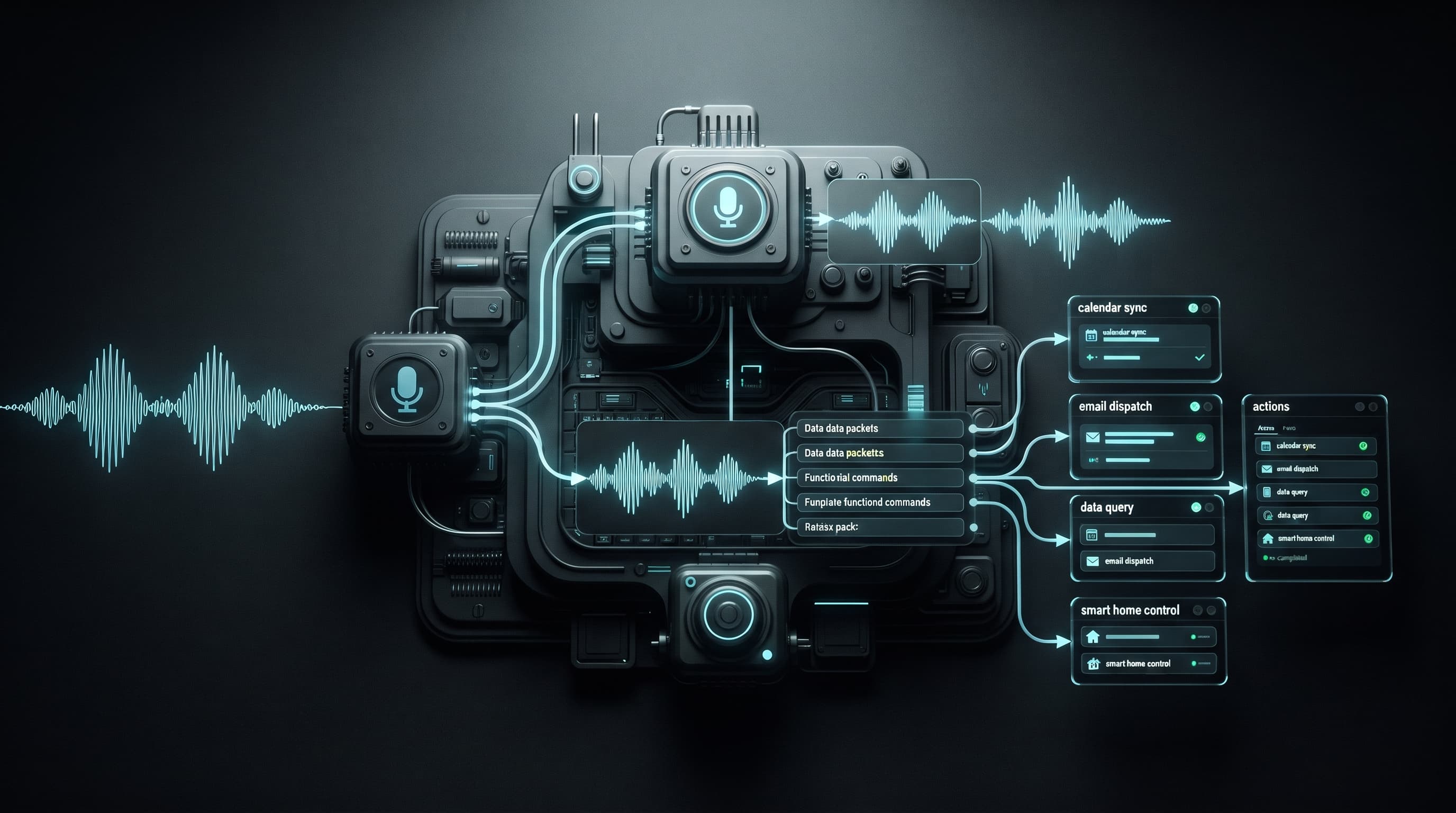
How to Write Prompts for Voice Assistants and AI Agents (It's Different From Chat Prompts)
A prompt that works beautifully in a text chat window can completely fail when used with a voice assistant or an AI agent that makes decisions and takes real actions.
How to Turn ChatGPT Into a Personal Coach, Editor, or Private Tutor
The difference between using ChatGPT as a conversational search engine and using it as a real coach that follows you over time lies in how you set up the conversation, not in the model's raw capability.